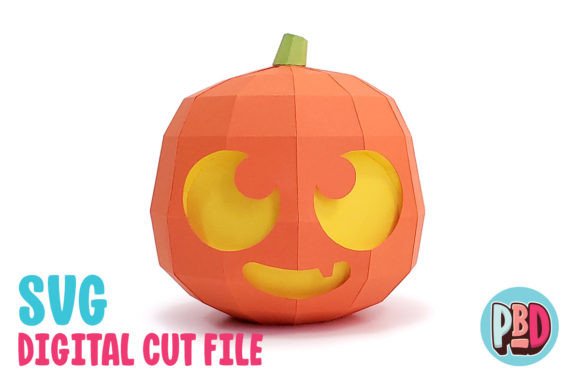
Pumpkin Centerpiece 3D Papercraft
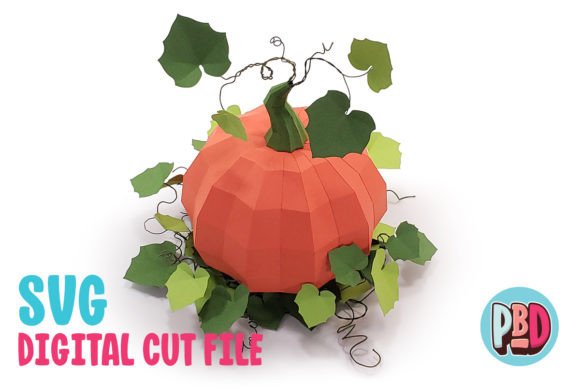
The Pumpkin Centerpiece 3D Papercraft is a stunning decorative project that brings the spirit of Halloween and fall to life through intricate paper design. This 12-inch cube-shaped centerpiece is crafted using medium cardstock, offering a robust yet elegant structure that can be customized with paint, markers, or other embellishments. Its detailed patterns and layered construction create a realistic pumpkin effect, making it an ideal focal point for seasonal events, home decor, or craft displays.
Designed with both aesthetics and functionality in mind, this papercraft combines traditional craftsmanship with modern design elements. The texture of the cardstock adds depth and visual interest, while the clean lines and symmetrical layout give it a polished, professional look. Whether placed on a dining table, mantel, or party setup, the Pumpkin Centerpiece 3D Papercraft adds a touch of warmth and creativity to any space.
Why Use Pumpkin Centerpiece 3D Papercraft?
This papercraft is more than just a decoration—it's a versatile design asset that can be used across various creative projects. From event planning to product packaging, its bold shape and rich details make it a standout element in any setting. The inclusion of texturing tips in the instructions ensures that even beginners can achieve a high-quality finish, making it accessible to a wide range of users.
For designers and marketers, the Pumpkin Centerpiece 3D Papercraft serves as a great example of how physical design can enhance brand identity. Its structured form and seasonal theme align well with editorial design, social media graphics, and promotional materials. By incorporating this papercraft into your creative workflow, you can add a tactile dimension to your projects that digital designs often lack.
How to Use the Design Files
The Pumpkin Centerpiece 3D Papercraft comes with a downloadable ZIP file containing essential design assets: an SVG cut file, a DXF cut file, and a PDF instruction guide. These files are compatible with popular cutting software like Silhouette Designer Edition, Cricut Design Space, and Silhouette Basic Edition. However, it's important to note that the DXF files may require specific settings to load correctly in Silhouette Studio.
To ensure the best results, users should extract all files before use and follow the recommended preferences for DXF imports. While SVG files offer smoother performance and cleaner output, DXF files remain a viable option for those working with older software versions. Regardless of the file type, the included instructions provide clear guidance on assembling the final piece.
Best Applications for the Design
The Pumpkin Centerpiece 3D Papercraft is particularly effective in environments where visual impact matters. In retail spaces, it can serve as a seasonal display that draws attention and enhances customer engagement. For bloggers and content creators, it offers a unique prop for photography, adding a cozy, autumnal vibe to posts and videos.
In branding and marketing, this papercraft can be used to reinforce seasonal messaging. Companies that sell home goods, party supplies, or seasonal products can incorporate it into their packaging or promotional materials. Its clean, structured design also makes it suitable for logo design and editorial layouts, where clarity and visual balance are key.
Design Tips and Considerations
When working with the Pumpkin Centerpiece 3D Papercraft, consider how the design will fit into your broader project. For instance, if you're creating a series of seasonal decorations, you might pair this papercraft with other fall-themed elements like leaves, gourds, or candles. This creates a cohesive look that strengthens the overall aesthetic.
For web design and social media graphics, the papercraft can be photographed and used as a background or overlay. Its three-dimensional form adds depth to digital compositions, making it a valuable asset for visual storytelling. When selecting colors or textures, think about how they complement the existing palette of your project.
Finally, always test the design in different contexts before finalizing your work. Print a small sample to see how the textures and layers interact, or use a digital mockup to visualize its placement in a larger composition. These steps help ensure that the final result meets your expectations and delivers the desired impact.